You’ve been in that group chat. Someone suggests a restaurant, someone else says it’s too far, a third person counters with somewhere nobody’s heard of, and the thread goes in circles. Meet in the Middle replaces that with math: enter everyone’s locations and drive budgets, see what’s actually in the overlap zone, and let the group vote on a shared link. No sign-up required for voters.
The Problem
Group logistics are painful. You open a group chat, suggest a restaurant, someone says it’s too far, another person suggests somewhere else, and the thread goes in circles. Nobody knows what’s actually in the middle, what’s fair for everyone’s commute, or how to compare options without visiting five different apps. The result: wasted time, compromises nobody loves, or the group just defaults to the same place every time.
The Solution
Enter your group’s starting locations
The host enters 2–5 starting locations for the group and sets drive time priorities. Token-gated access — you need an invite to create a search.
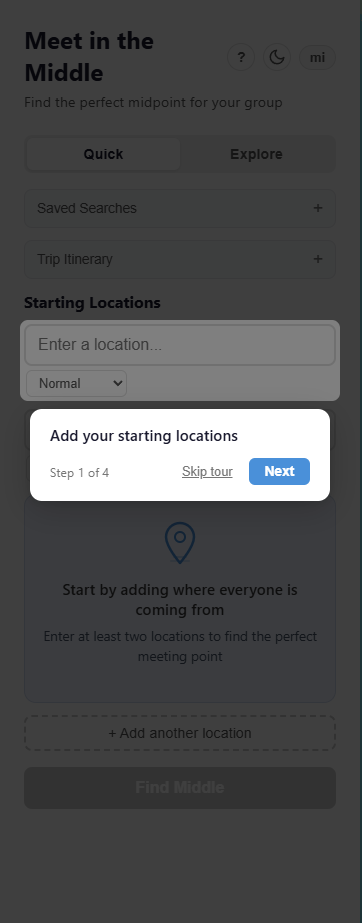
Choose your search mode
Quick mode finds the midpoint. Explore mode calculates drive radii, shows the overlap zone on the map, and lets you browse by category with custom drive budgets.
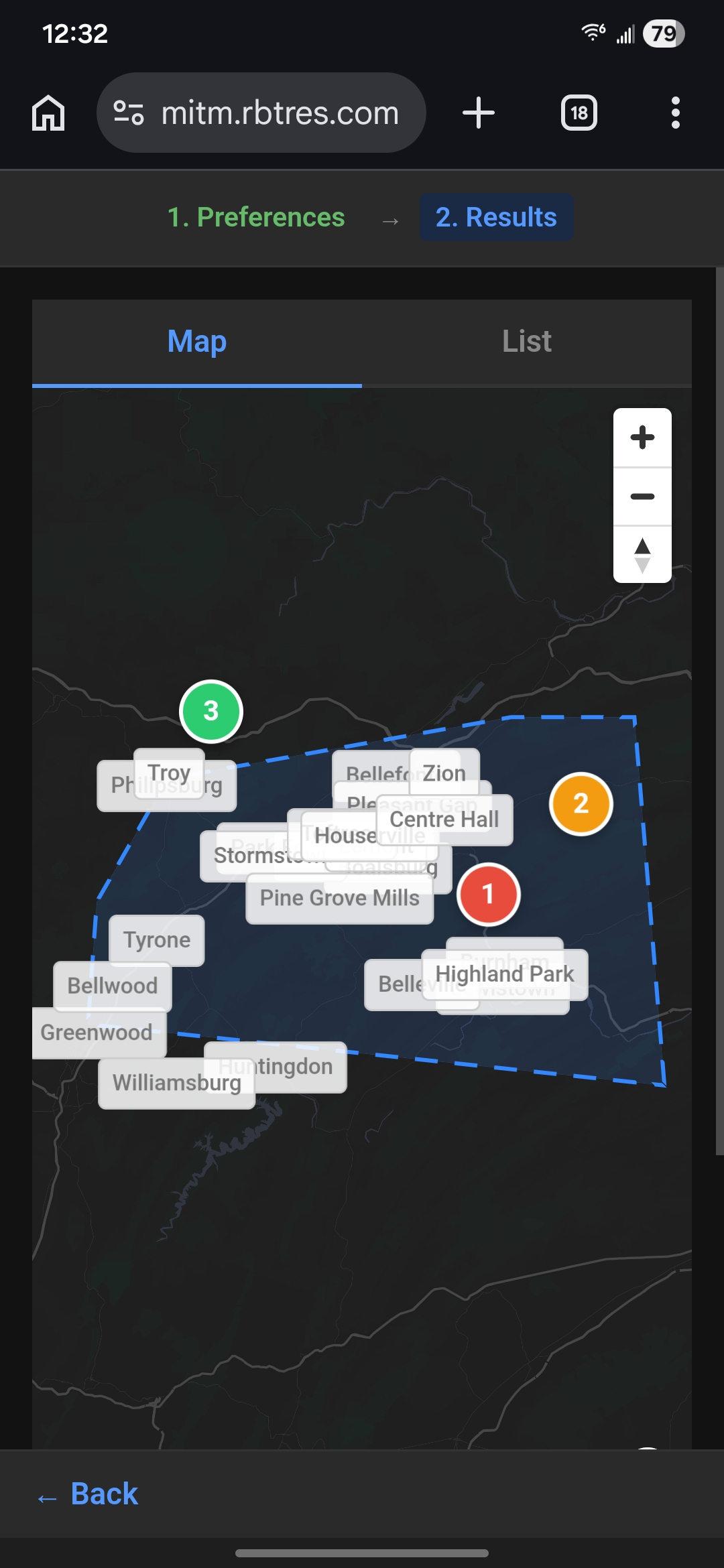
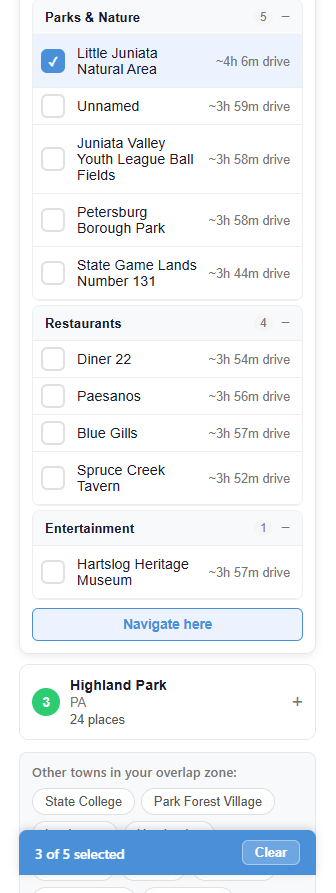
Browse the results
Pick categories — restaurants, parks, entertainment — and the app surfaces places in the overlap zone with drive times for each person.
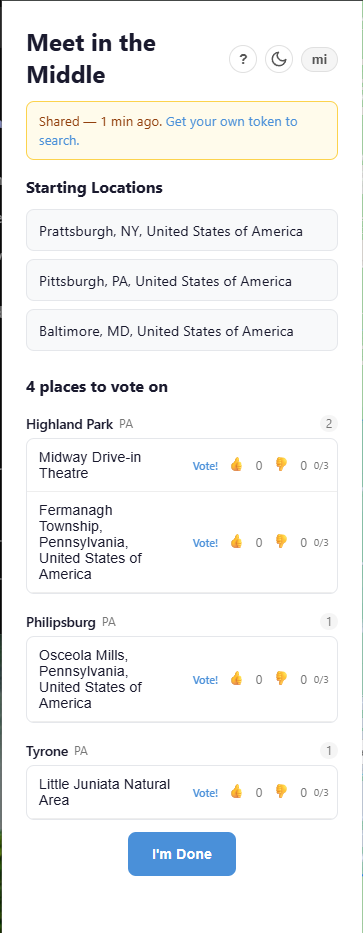
Share and vote
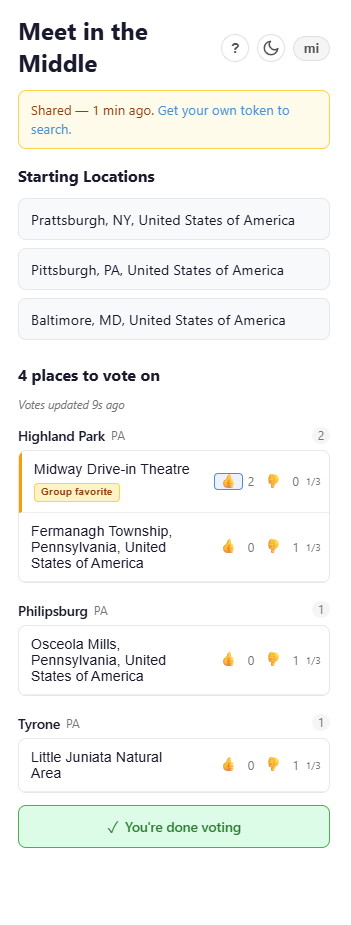
The host curates picks and shares a 24-hour link. Recipients click the link — no token needed — and vote with thumbs up or down (max 3 upvotes each).
See the winner
The host sees a Vote Dashboard with real-time group consensus. The “group favorite” badge highlights the top pick automatically.
Technical Decisions
Frontend
Backend
Infrastructure
Testing
Cloudflare free tier for everything
Workers, D1, R2, and Pages all on the free tier. $0/month hosting with edge deployment worldwide. Trade-off: vendor lock-in to Cloudflare’s APIs, but the cost savings and global performance are worth it for a side project.
Svelte over React
Svelte compiles to vanilla JS with no runtime overhead — critical for a map-heavy app where every kilobyte counts. Smaller bundle, faster initial load, and simpler reactivity model for a small team.
Isochrone API for drive radii
Instead of simple crow-flies circles, the overlap zone uses real drive-time isochrones. This means results are actually reachable within each person’s budget, accounting for roads, traffic, and geography.
Token-gated access for hosts
Creating searches requires an invite token, but voting is open via shared links. This prevents abuse while keeping the voting experience frictionless for the group.
Results
Try It
The app is live and runs entirely on Cloudflare’s free tier — $0/month. Creating a search requires an invite token, but if someone shares a vote link with you, just click it. No account needed.